


Dell UD22 Universal Dock-7MMGN
SKU: 7294
Couldn't load pickup availability
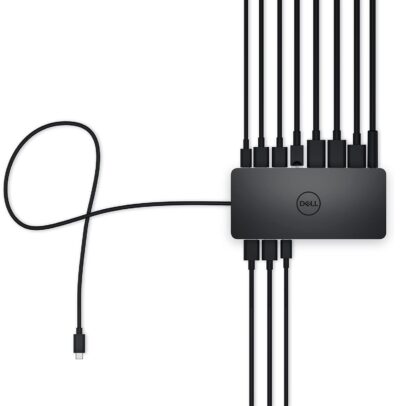
The Dell UD22 10-in-1 Universal Docking Station turns your notebook into a fully-fledged workstation. Designed for professionals seeking to eliminate clutter while maximizing productivity, this compact dock delivers robust connectivity and performance.
Universal Compatibility
Works seamlessly with USB Type-C devices across Windows, Mac, Ubuntu, and Chrome OS, regardless of manufacturer. One cable connects your laptop to everything you need.
Multi-Display Powerhouse
Support for up to four 4K monitors via DisplayLink drivers expands your workspace dramatically. Achieve 5120 x 2880 resolution at 60 Hz for crystal-clear visuals across multiple screens.
Smart Display Management
DisplayLink's automatic layout provisioning feature preconfigures display arrangements for shared workspaces, saving setup time and enhancing collaboration.
Comprehensive Connectivity
10 ports including 2 x DisplayPort 1.4, 1 x HDMI, 4 x USB 3.2 Gen 2 Type-A, 1 x USB 3.2 Gen 2 Type-C, and 1 x RJ45 Ethernet. Delivers 130W power for charging and peripherals.
Built to Last
Compact at 16.5 x 7.6 x 3.3 cm and weighing just 416g, the UD22 fits any desk. Backed by 3 years of brand warranty and Kensington security slot support.
100% Secure Payment Gateway
Trusted Payment Partners: Pay safely using Razorpay & Paytm
Choose from a variety of payment methods tailored for Indian customers:
Nationwide Delivery
Stay updated with Shiprocket or our trusted courier partners
Get your products delivered to your doorstep in 2-5 business days.
Compatibility
Compatibility
Devices- Monitors
Products Specification
Products Specification
Weight:
Dimensions : 16.5 x 7.6 x 3.3 cm
Brand : Dell
Color :Black
Note For Customer
Note For Customer
Shipping & Delivery
Shipping & Delivery
All orders are processed within the same or next one business day (excluding weekends and holidays) after receiving your order confirmation email & verification of order (in case of COD orders). You will receive another notification from the shipping partner when your order has shipped.
For calculated shipping rates: Shipping charges for your order will be calculated and displayed at checkout.
For More Info Check our Shipping Policy
Return Policy
Return Policy
Hassle-Free Replacement: Enjoy hassle free replacement in different situations. Read our replacement policy
- Nationwide Delivery
- 1 Year Warranty
- Easy Replacement


Frequently Asked Questions
This Frequently Asked Questions (FAQ) section provides detailed information about Dell laptop batteries, covering topics such as battery lifespan, charging best practices, health monitoring, and replacement guidelines to help you optimize performance and safety. For any additional questions or personalized assistance, please feel free to contact Dell’s customer support team through our website or support hotline.
What is a docking station?
A docking station connects your laptop to multiple external devices — monitors, keyboard, mouse, printer, Ethernet, etc. — through a single cable. It's ideal if you frequently switch between a desk setup and portable use, or need more ports than your laptop offers.
Will this docking station work with my laptop brand?
Docking stations are generally compatible with any laptop that has a USB-C or USB-A port (depending on the dock type), regardless of brand — Dell, HP, Lenovo, Acer, or others. Compatibility depends on your laptop's port type, not the brand itself.
Can I connect multiple monitors using a docking station?
Yes, most docking stations support dual or multi-monitor setups via HDMI, DisplayPort, or VGA outputs, subject to your laptop's graphics capability. Exact number of supported displays and resolution varies by model — check the individual product listing for specifics or contact our customer support at +91 8595645005.
Does the docking station charge my laptop?
Many docking stations support pass-through charging via Power Delivery (PD), allowing your laptop to charge while connected. This depends on the specific dock and your laptop's charging requirements — refer to the product page for wattage details or contact our customer support at +91 8595645005.
Do I need to install drivers or software to use it?
Most docking stations are plug-and-play and work without additional software on Windows and macOS. Some advanced docks (especially those supporting multiple displays) may require a driver, which is usually mentioned on the product listing if needed. If still any doubts, please contact our customer support at +91 8595645005.
What is the warranty on docking stations purchased from mylaptopspares.com?
All docking stations come with a standard brand warranty against manufacturing defects. Specific warranty duration is mentioned on each product page.

Docking stations
Connect more, do more. Docking stations provide effortless connectivity, multiple display support, fast data transfer, and streamlined cable management—making every workspace smarter and more productive